Basil is the Co-Founder and CTO of Simple Bundles, where he leads product strategy and development. With deep experience building scalable systems for merchants, he specializes in the technical and operational challenges for back-office operations.
bundle strategy
How to build three-pack bundles customers can’t resist
The article walks through a four-step setup framework, including SKU mapping, automatic inventory syncing, and order testing, while also sharing conversion best practices to help three-pack bundles increase AOV and drive more sales.
Basil is the Co-Founder and CTO of Simple Bundles, where he leads product strategy and development. With deep experience building scalable systems for merchants, he specializes in the technical and operational challenges for back-office operations.
Three-pack product bundles sell because they hit a psychological sweet spot. One unit feels like a sample. Six feels like a commitment. But three? Three feels like you're getting a bundle deal without overcommitting.
For many ecommerce brands, a three-pack also acts like a smart multipack offer: simple for shoppers to understand, easy to promote on a product page, and powerful for increasing average order value without asking customers to buy a huge quantity upfront.
While three-pack bundles are easy to sell, they're surprisingly hard to implement correctly.
One customer order needs to deduct three units from inventory. If your system doesn't handle that automatically, you're headed for overselling, fulfillment chaos, and awkward "sorry, we're actually out of stock" emails.
Let's break down how three-pack bundles actually work, the two fundamentally different ways to structure them, and how to set them up without breaking your inventory.
Why three-pack bundles are a game changer
A single item often carries a high shipping cost relative to its price, while a ten-pack might feel like too much of a commitment for a new customer.
The three-pack sits right in the middle. It increases your Average Order Value (AOV) significantly, reduces the proportional cost of shipping, and encourages product habituation, especially for consumables like supplements, coffee, or beauty products.
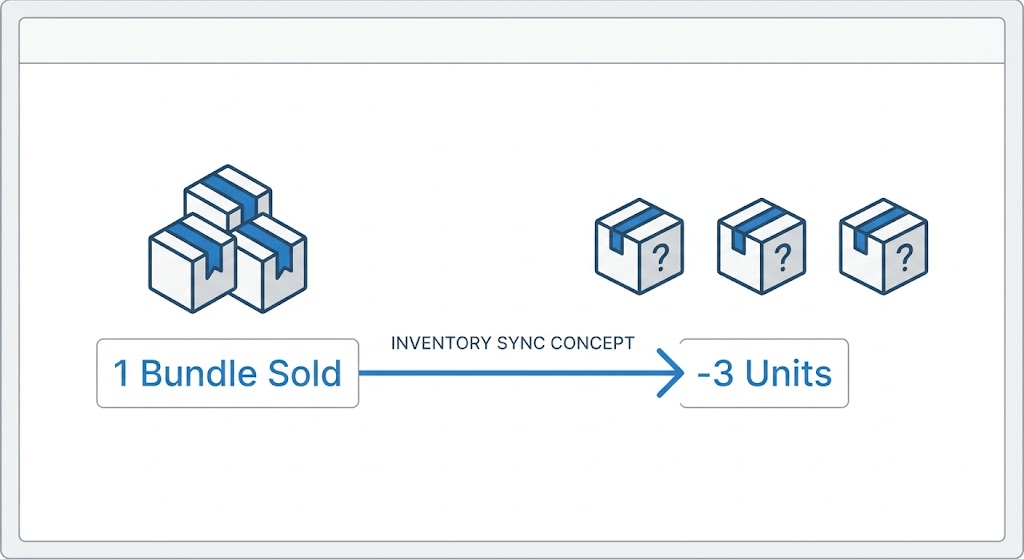
However, this bundling strategy only works if your inventory system understands that one "Three-Pack" sold actually means three "Single Units" have left the building.
What is a three-pack product bundle?
A three-pack bundle is exactly what it sounds like: a single product listing that contains three items. When a customer buys one bundle, they receive three products.
The key distinction is between virtual and physical bundles:
Virtual bundles exist only in your system. You're selling three separate SKUs as one product, but you're not pre-packaging them in your warehouse. When the order comes in, your team picks three individual items.
Physical bundles are pre-packaged. You've already boxed up three items together, and that box has its own SKU.
Most Shopify stores use virtual bundles because they're more flexible. You don't need to pre-pack inventory, and you can change bundle compositions without creating new physical products.
But virtual bundles create an inventory challenge: when someone buys one bundle, your system needs to deduct three units from your component products.
Where three-pack bundles fit in your product catalog
Three-packs can work across many types of product categories, but they’re especially effective when the products are repeat-purchase items, items with multiple sizes or styles, or products that customers like to compare before committing.
For example, a hair brand could create bundles around wavy and straight textures. A skincare brand might bundle cleanser, toner, and moisturizer as complementary products. A food brand might let customers build a flavor sampler. In each case, the bundle gives customers a reason to buy more while still feeling like they are making a practical choice.
A strong bundle should also include clear product details, such as what is included, how many items ship, whether each item is in stock, and how the bundle price compares to buying each individual item separately.
The challenge of inventory syncing
The biggest hurdle is the "one-to-many" relationship.
If you have 100 shirts in stock, you technically have 33 three-packs available. If someone buys one three-pack, your shirt inventory must drop to 97, and your "available three-packs" must update to 32.
Keeping these numbers in sync across your website, warehouse management system (WMS), POS, and fulfillment workflow is where most manual setups fail.
Native Shopify doesn't do this automatically. That's where things get complicated.
The two types of three-pack bundles
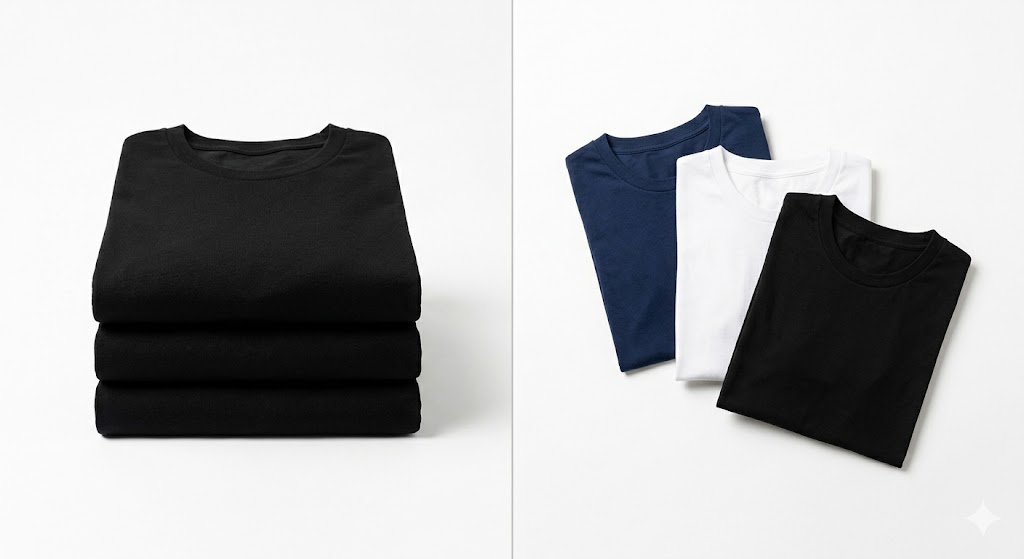
Left: bulk bundle with three identical items. Right: mix-and-match with customer-selected variants.
There are two fundamentally different ways to structure a three-pack, and each one requires a different setup approach.
Type 1: Bulk bundles (same product, times three)
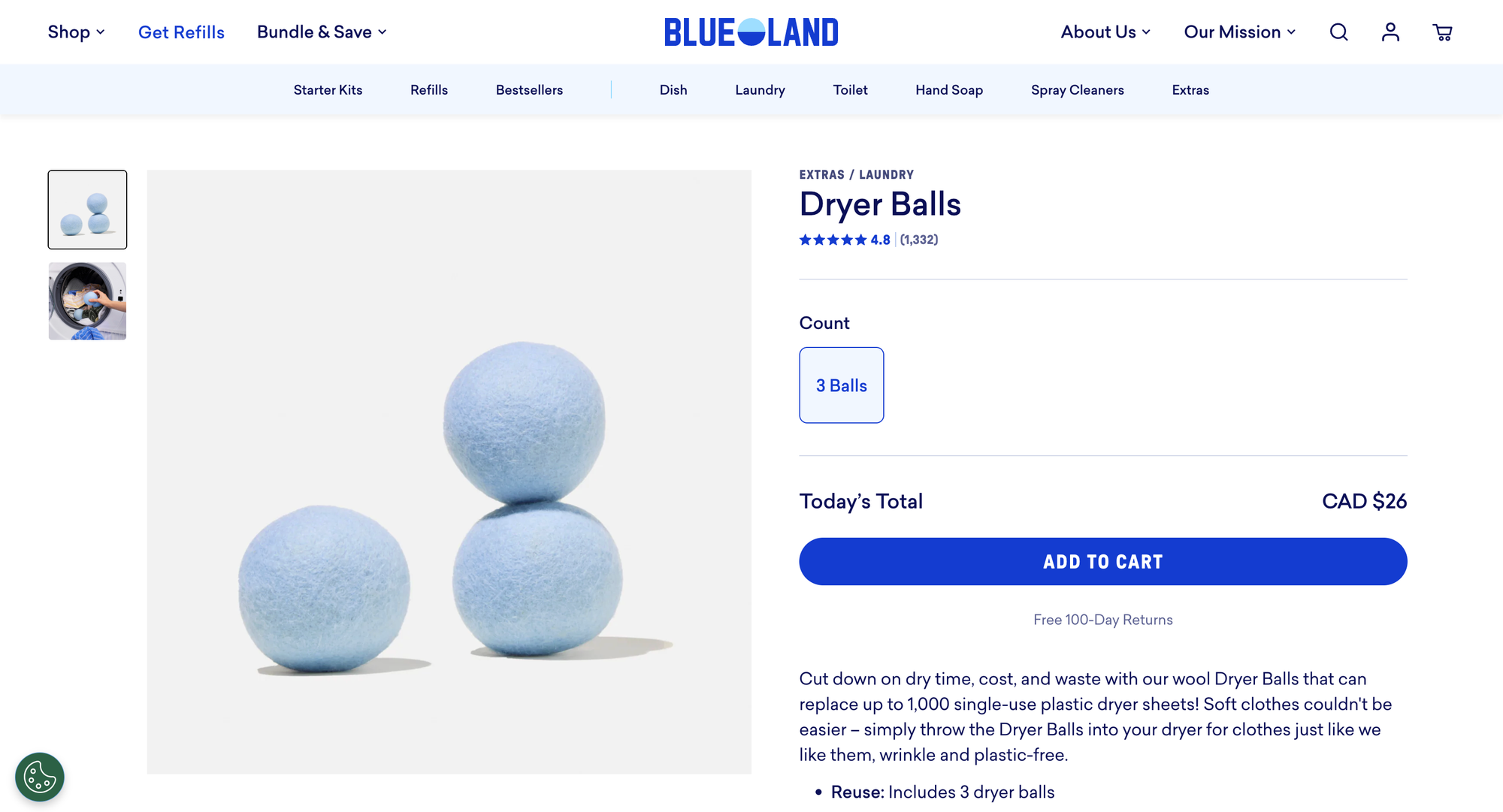
This is the simpler version. A bulk bundle contains three of the exact same SKU.
Examples:
3x black t-shirts in size medium
3x vanilla protein powder
3x tubes of the same toothpaste
The customer isn't choosing anything. They click Add to Cart, move through checkout, and get three identical items.
Why merchants use bulk bundles:
Straightforward setup with fixed composition
No variant selection logic needed
Great for consumables where customers want multiples of their favorite
Useful for volume discounts and repeat-purchase products
The challenge:
Even though this seems simple, inventory syncing is still tricky. When someone orders your "3-Pack of Vanilla Protein," your system needs to deduct 3 units from your vanilla protein inventory. If it doesn't, you'll oversell.
In Simple Bundles, this is handled through bundle mapping. You create your three-pack as a product, then map it to the component product with a quantity of 3. When an order comes in, Simple Bundles breaks down the bundle into its components, deducting the right inventory and showing fulfillment teams exactly what to pick.
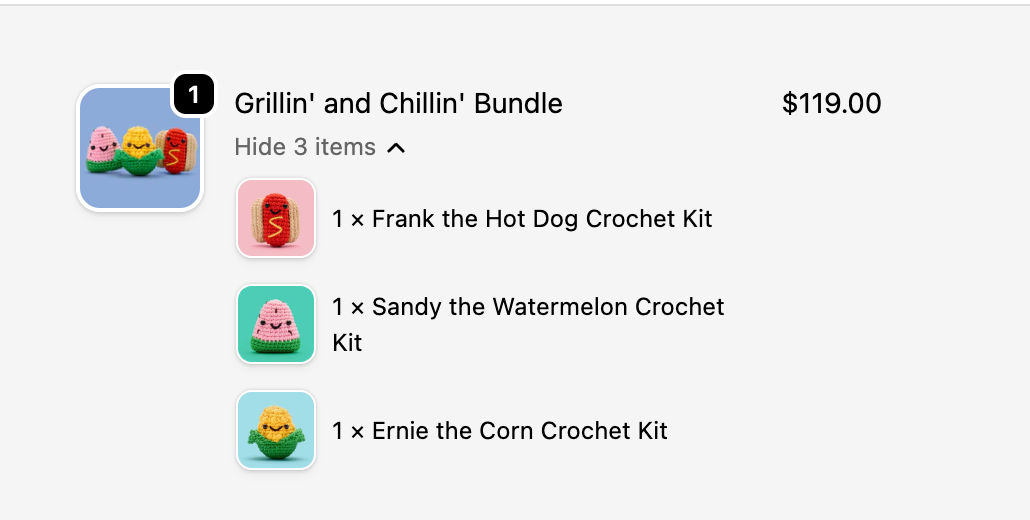
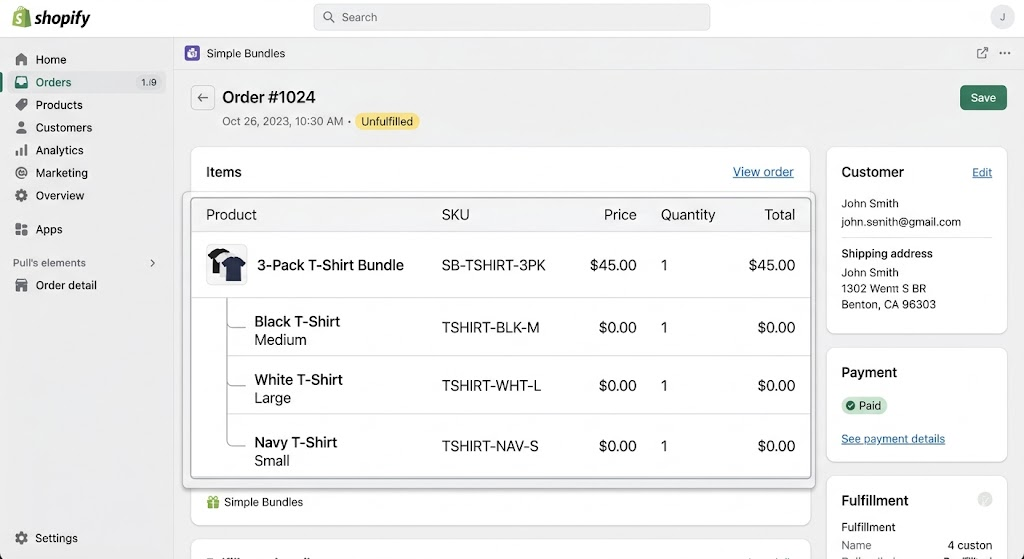
The order shows both the bundle product (with the bundle price) and the individual component SKUs (priced at $0), so your warehouse knows exactly what to ship.
Orders show the bundle price with individual components listed at $0 for fulfillment.
Type 2: Mix-and-match bundles (build your own three-pack)
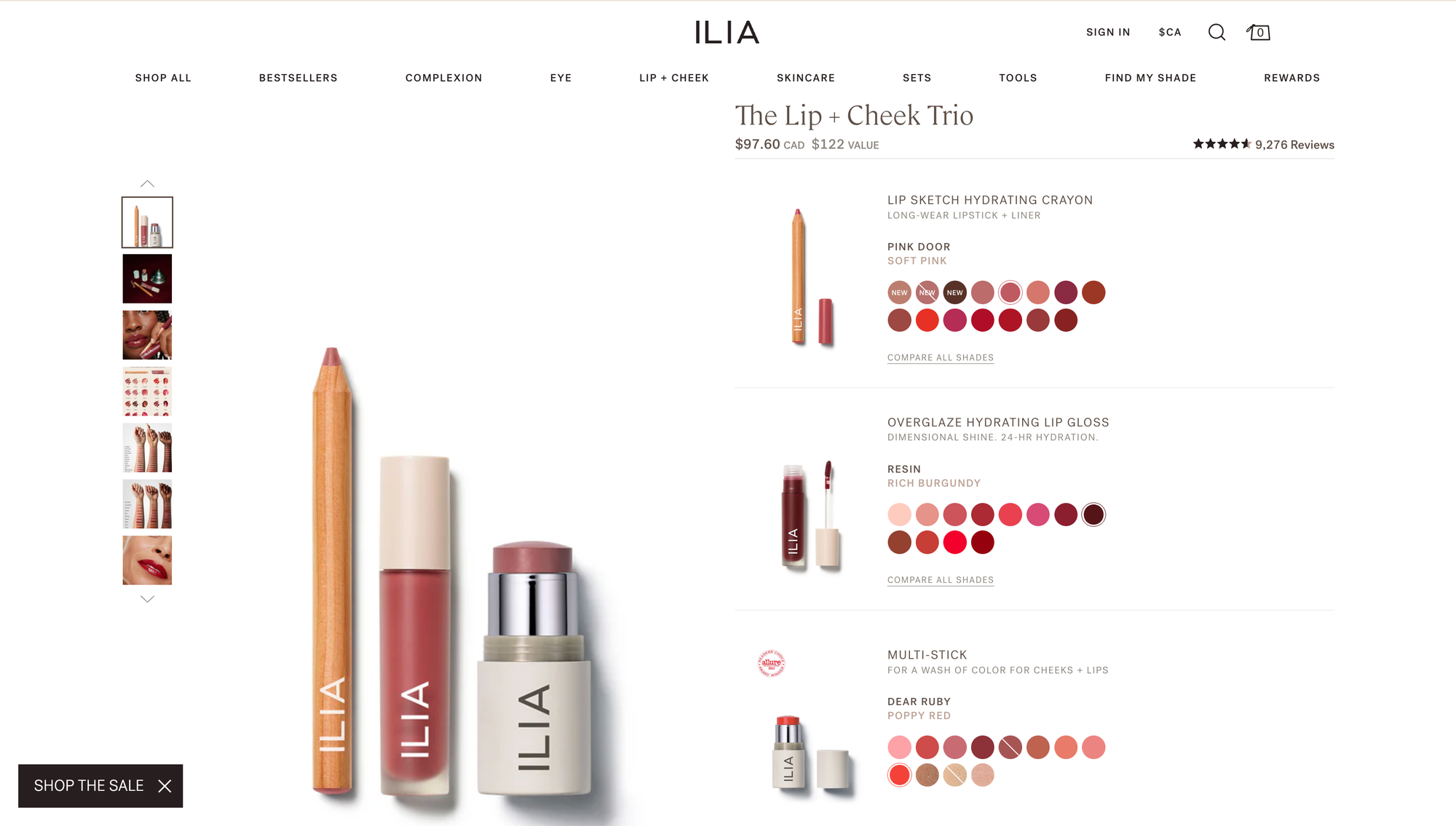
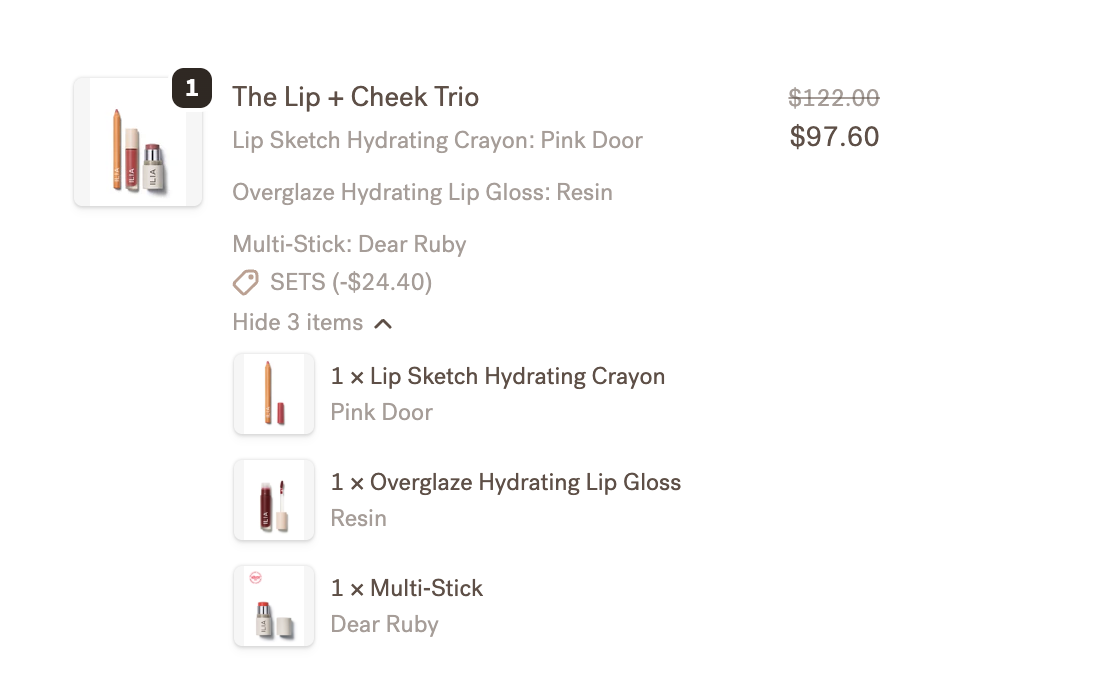
This is where things get interesting. A mix-and-match bundle lets customers choose which three items they want.
Examples:
Pick any 3 t-shirt colors and sizes
Choose 3 protein powder flavors
Build your own 3-pack of hot sauces
Instead of fixed composition, you're offering infinite combinations. A customer might choose medium black, large white, and small navy. Another might want three large blacks. Every order is different.
Why merchants use mix-and-match bundles:
Higher perceived value (customers love customization)
Better for products with variants like size, color, or flavor
Reduces the "what if they don't like it" hesitation
Creates a natural cross-sell opportunity across related products
The challenges:
Mix-and-match bundles are significantly more complex to implement:
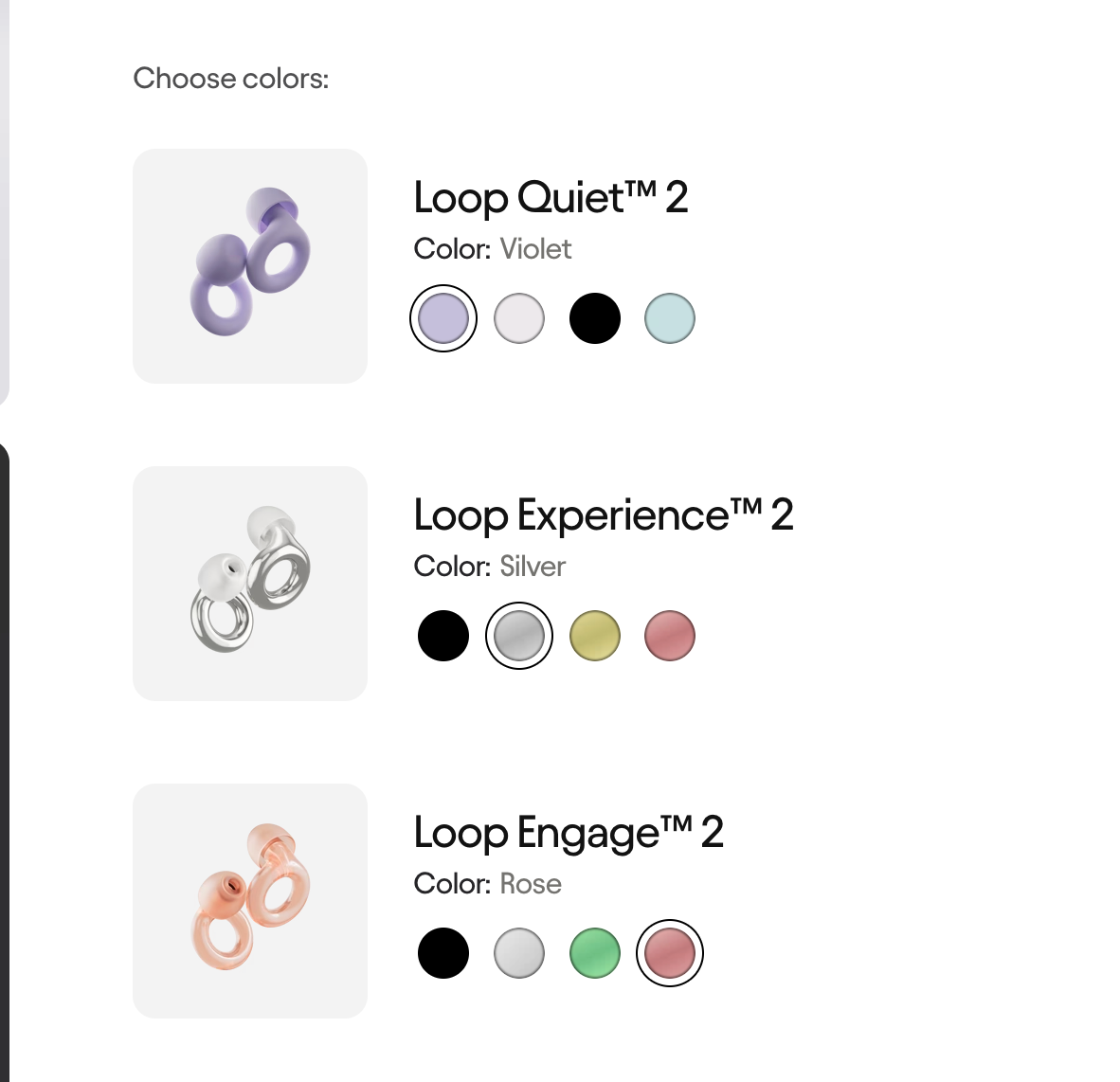
Variant selection logic: You need a way for customers to pick three different options
Complex SKU mapping: Each selection maps to a different component SKU
Per-variant inventory sync: If someone picks 2 black and 1 white, you need to deduct 2 from black inventory and 1 from white
Native Shopify can't handle this. You'd need a variant for every possible combination, and with even a modest product line, that's hundreds or thousands of variants.
Simple Bundles handles this with Infinite Options bundles. You add the variant selector widget to your theme, and customers see dropdowns for each item in their pack. They pick size, color, and any other options for each of the three items.
When the order comes in, Simple Bundles breaks down the bundle into individual SKUs, syncing inventory for each specific variant selected.
Pure bundling vs. optional bundle deals
Your bundling strategy also depends on whether customers can buy the included products separately.
With pure bundling, the customer can only buy the products together as a bundle. This can work well for curated kits, starter sets, or limited-edition offers where the bundle itself is the main product.
With optional bundle deals, customers can buy the bundle or purchase the individual products separately. This is often the better choice for Shopify merchants because it gives shoppers flexibility while still encouraging them to upgrade to the bundle for better value.
For example, a customer may land on a single shampoo product page, then see an upsell for a 3-pack or a complementary conditioner bundle. This lets the bundle function as both a higher-value offer and a helpful recommendation.
Why native Shopify struggles with three-pack bundles
Shopify is powerful, but it wasn't built with bundle inventory logic in mind.
The core problem: Shopify treats one product as one inventory unit. It doesn't natively support "one-to-many" inventory deduction, where buying one product removes multiple units from stock.
This leads to predictable problems:
Overselling: Your bundle sells, but Shopify only deducts 1 unit instead of 3. You've now promised inventory you don't have.
Manual workarounds: Some merchants try to track bundle inventory in spreadsheets or manually adjust stock after each order. This works until it doesn't, usually during a busy sale when you're already stretched thin.
Broken fulfillment: Without component-level SKUs showing in orders, warehouse teams don't know what to pick. They see "3-Pack Bundle" but not "3x Medium Black T-Shirt."
These aren't edge cases. They're the default experience for merchants trying to run bundles on native Shopify without additional tooling.
Shopify apps and bundle functionality
Because native Shopify has limits around bundle inventory, many merchants rely on Shopify apps to handle the missing functionality.
A strong bundles app should let you create bundle products, map component SKUs, sync inventory automatically, show clear component details on orders, and support both fixed and mix-and-match bundles.
The right setup also helps with inventory management, because your team does not need to manually calculate how many bundles are available or adjust stock after each sale. Instead, the bundle availability updates based on the stock levels of the underlying products.
This matters even more if you sell across multiple channels, such as your Shopify store, retail POS, and marketplaces like Amazon. If each channel pulls from the same inventory pool, your bundle setup needs to prevent overselling everywhere, not just online.
How to set up three-pack bundles the right way
Whether you're building a bulk bundle or a mix-and-match bundle, the setup process follows the same four-step framework.
Step 1: Choose your bundle type
Start by deciding which approach fits your product and customer behavior.
Choose bulk bundles if:
You're selling consumables where customers want multiples of their favorite
Your product doesn't have meaningful variants
You want the simplest possible setup
Choose mix-and-match bundles if:
Your product has variants like size, color, or flavor
Customers have strong individual preferences
You want to offer a "build your own" experience
Step 2: Map your SKUs properly
Every bundle needs clear SKU relationships.
For bulk bundles:
Create a unique bundle SKU (e.g., "TSHIRT-BLACK-3PK")
Map it to the component SKU with quantity 3
For mix-and-match bundles:
Create a bundle product with variants representing pack sizes (3-pack, 6-pack, etc.)
Configure the variant selector to pull from your component products and their variants
In Simple Bundles, you do this by clicking "Build bundle," selecting your bundle product, then adding component products with their quantities. For mix-and-match, choose "Infinite Options Bundle" and add products with variants.
Step 3: Sync inventory automatically
This is the critical piece. Your bundle inventory should calculate automatically based on component stock.
When you enable inventory sync in Simple Bundles, two things happen:
Bundle inventory updates based on components: If you have 30 black t-shirts in stock, your "3-Pack Black T-Shirt" shows as 10 available
Orders deduct from component inventory: When someone buys the 3-pack, those 3 units come off your black t-shirt stock
For mix-and-match bundles, inventory syncs per variant. If a customer picks 2 black and 1 white, you lose 2 black and 1 white from inventory.
Step 4: Test your orders
One bundle sold automatically deducts three units from component inventory.
Before going live, run a test order. Add the bundle to cart, complete checkout with a test payment method, and verify:
The order shows component SKUs (not just the bundle name)
Inventory deducted correctly for each component
Fulfillment view shows what warehouse team needs to pick
Some merchants call this a "ghost order test." It takes five minutes and saves you from discovering inventory issues with real customer orders.
Best practices for selling three-pack bundles
Setting up the bundle correctly is half the battle. The other half is presenting it in a way that converts.
Show the savings clearly
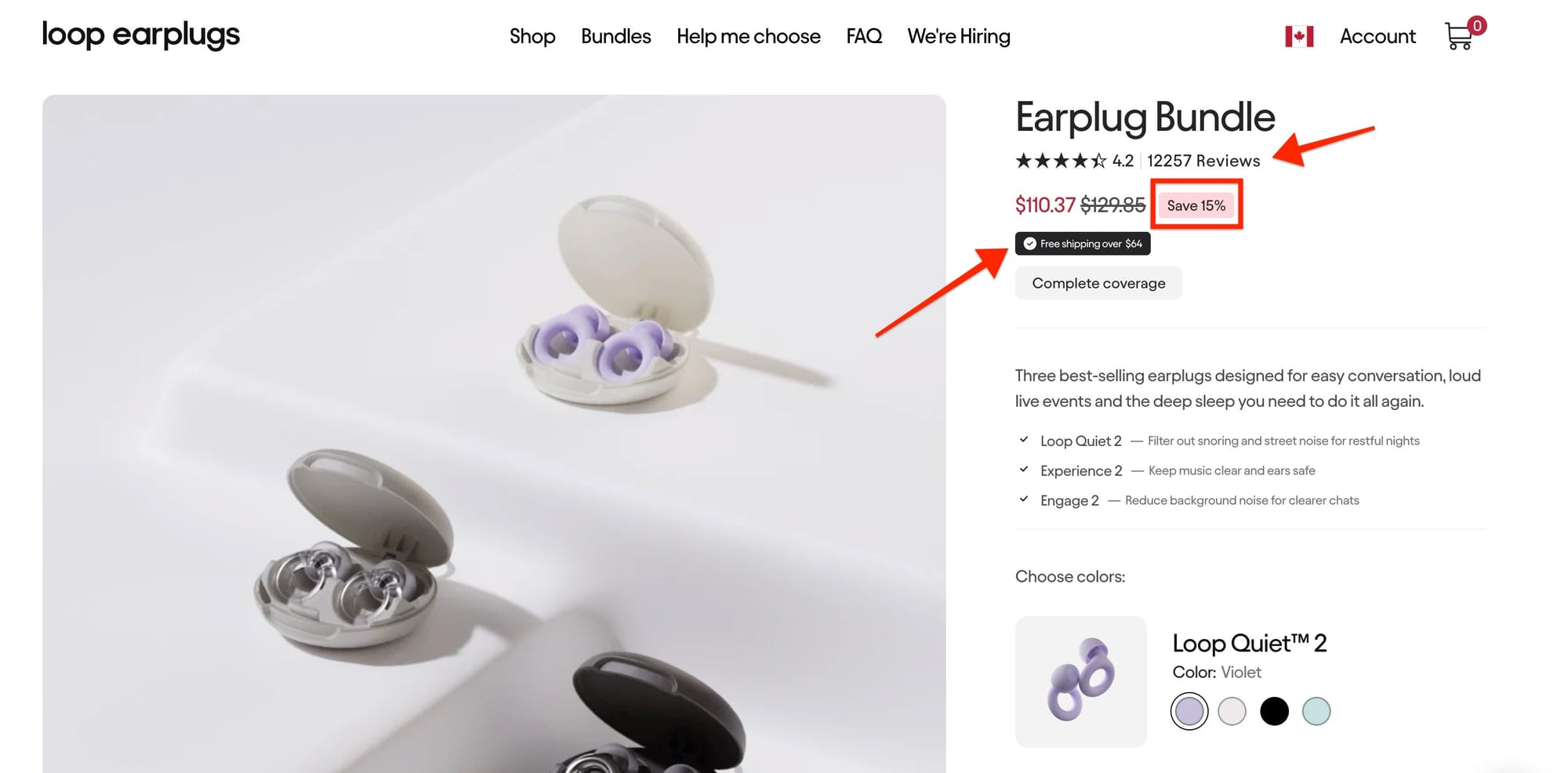
Don't make customers do math. If your 3-pack saves them $15 compared to buying individually, say that explicitly.
"Save $15 when you buy the 3-pack" converts better than "3-Pack: $45" next to a single item at $20.
Use bundle-specific imagery
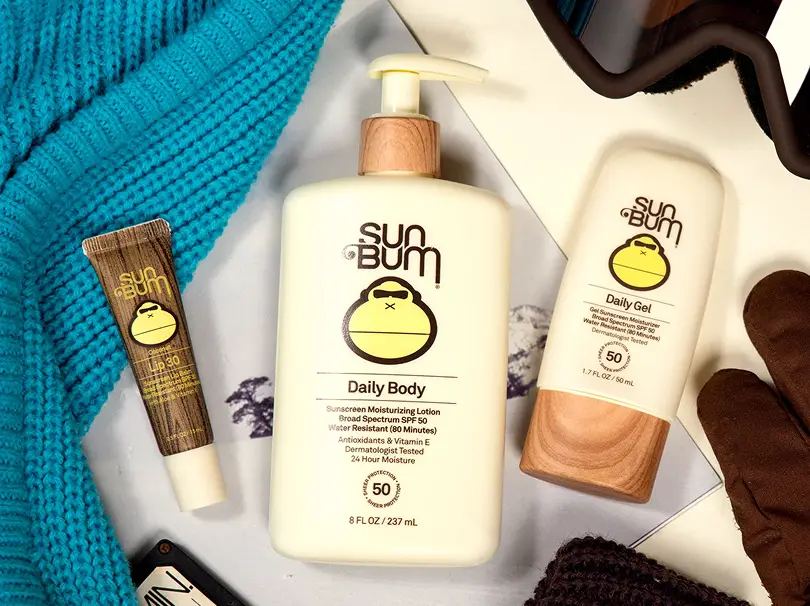
Show all three items together. A product photo with three items stacked or arranged reinforces the value proposition visually.
Even better: show the three items next to a single item to create visual contrast.
Simplify the selection UX
For mix-and-match bundles, don't overwhelm customers with options. Use clear dropdown labels ("Choose your first item," "Choose your second item") and consider pre-selecting popular defaults.
If someone lands on your 3-pack page and feels confused about how to select their items, they'll leave.
Add value badges
"Best Value" or "Most Popular" badges on your 3-pack option draw attention and create social proof. If 3-packs are your highest-converting bundle size, let customers know.
Setting up your three-pack bundle
Three-pack bundles are one of the highest-impact offers you can add to your store. They increase AOV, improve shipping economics, and encourage repeat usage by getting more product into customers' hands.
The two approaches, bulk bundles and mix-and-match bundles, serve different use cases. Bulk bundles are simpler and work great for consumables. Mix-and-match bundles offer customization and work great for products with variants.
Both are fully supported in Simple Bundles. Bulk bundles use standard bundle mapping with quantity settings. Mix-and-match bundles use Infinite Options with variant selectors.
Ready to build your three-pack? Start with the approach that fits your product, follow the four-step setup process, and test before going live.
A three-pack product bundle is a single offer that includes three products. The bundle might contain three of the same item, such as three bottles of the same supplement, or three different items chosen by the customer in a mix-and-match bundle.
The key is that the shopper sees one bundle offer, but your store and fulfillment team still need to track the individual products inside that bundle.
Why are three-pack bundles popular in ecommerce?
Three-pack bundles are popular because they offer a clear middle ground between buying one item and committing to a large bulk order. They can increase average order value, improve shipping economics, and make the purchase feel like a better deal.
For customers, a three-pack feels practical. For merchants, it is an easy way to encourage shoppers to buy more without making the offer feel overwhelming.
What is the difference between a multipack and a product bundle?
A multipack usually refers to multiple units of the same product sold together, such as three identical t-shirts or three bottles of the same shampoo.
A product bundle can be broader. It may include identical items, related products, or complementary products that are often used together. For example, a hair care brand might bundle shampoo, conditioner, and a styling product, while a hair extension brand might create a bundle with different textures or lengths.
Can I sell bundles and individual products at the same time?
Yes. Many merchants sell the bundle and the individual products side by side. This lets customers choose the format that works best for them while giving you a natural way to promote the higher-value bundle.
Selling both options also makes the value of the bundle easier to understand. Customers can compare the bundle price against the cost of buying each individual item separately.
Do I need a separate SKU for each bundle?
In most cases, yes. A bundle SKU helps you track the offer clearly in Shopify, reports, fulfillment systems, and customer service workflows.
The important part is making sure the bundle SKU is mapped to the correct component SKUs. That way, when someone buys the bundle, your inventory updates for the individual products inside it.
How does inventory work for three-pack bundles?
Bundle inventory should be based on the stock levels of the products inside the bundle. For example, if a three-pack uses three units of the same product and you have 30 units in stock, your store should show 10 bundles available.
When a customer buys one bundle, inventory should deduct three units from the underlying product. This prevents overselling and keeps your stock accurate across your product page, checkout, fulfillment workflow, and sales channels.
Can bundles work with products that have many variants?
Yes, but they require the right setup. Products with size, color, flavor, texture, or length variants are often a great fit for mix-and-match bundles, as long as your app can map each customer selection to the right inventory item.
For example, if a customer builds a three-pack with two deep wave bundles and one body wave bundle, your system needs to deduct the correct quantity from each selected product variant.
Do I need a Shopify app to create product bundles?
For simple presentation-only bundles, you may be able to create a basic product listing manually. But if you need accurate inventory management, component-level SKU tracking, mix-and-match functionality, or automatic inventory syncing, a bundles app is usually the better option.
A dedicated Shopify bundles app helps make sure that when a bundle sells, the correct individual products are deducted from inventory and shown clearly for fulfillment.
Build a bundle in under 5 minutes
Over 25,000 Shopify merchants use Simple Bundles to sell more per order.
Learn how to choose between a discount app and a bundling app based on what you're trying to build. Plus, see how bundle pricing can work alongside Shopify discount codes, how to avoid accidental double-discounting, and why fulfillment should be part of the decision.
Learn why bundle analytics are harder to track than regular product analytics in Shopify and the key metrics brands should monitor. Discover practical ways to track performance through SKU-matching exports, built-in bundle analytics, AI-assisted analysis, Bundle Magic, and promo code attribution.
Stocky shuts down permanently on August 31, 2026. If you sell perishables, track batches or lots, manage expiry dates, or sell multi-SKU bundles, there are real gaps you need to plan around before the deadline.